When to use it
- A product or project glossary, so support, sales and engineering mean the same thing by each term
- The glossary or list of abbreviations in a thesis, dissertation or report
- Onboarding new hires into the jargon of a company or a trade
- Invented words, places and titles in a fantasy or science fiction series
- A term list for freelancers and translators working on one client's content
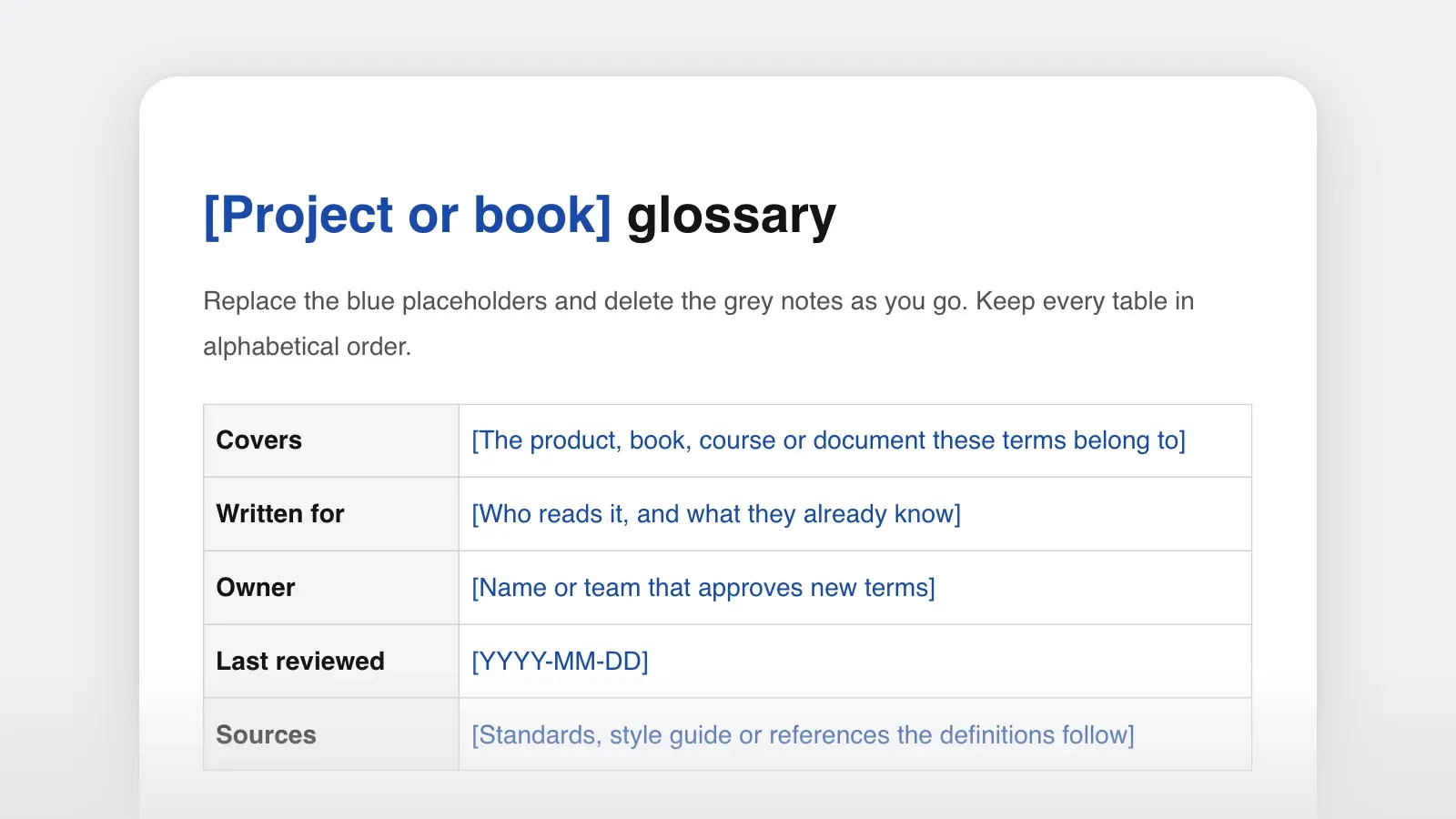
A glossary is an alphabetical list of the terms a reader may not know, each with a short definition. This glossary template gives every entry the same parts: the term, a one-sentence definition, an example of the term in use and a pointer to related or retired terms. It adds a list of abbreviations, a list of words the team doesn't use and a change log, for glossaries that serve a product or a long project.
Here is one entry from the filled-in product glossary further down, written for an invented newsletter platform:
Segment. A saved group of subscribers who match a rule, such as everyone who joined in the last 30 days. The group updates itself as people join and leave. In use: “Send edition 112 only to the segment ‘joined in the last 30 days.’” See also: tag. Don't use: list, audience (for this meaning).
The definition never leans on the word it defines. It names the category first, a saved group of subscribers, then what sets the term apart: a rule that keeps the group up to date. Every entry in the template has that shape.
How to use this template
- Collect the terms from real reading
Read the document as a newcomer would and mark every word you had to learn on the job. Add the words reviewers asked about, the terms support tickets get wrong, and any pair people use loosely for the same thing, such as “subscriber” and “member.”
- Decide who the glossary is for
A glossary for new hires defines “dek”; one for editors doesn't. Press “Use this template” to open it in Strokes as a document you can edit and export, write the reader into the details table, then cut every term that reader already knows.
- Write one sentence per definition
Name the category first, then what sets the term apart: “A subscriber who pays.” Add an example sentence where the meaning is easier to show than to state.
- Link related terms and retire the rest
Point synonyms to the term you use, mark related terms with “see also,” and move retired words to the “Terms we don't use” table with the word that replaces them.
- Put it where readers will look
In a book, the glossary goes in the back matter (see the parts of a book). In a thesis, follow your school's formatting guide. In docs, give it its own page and link the first use of each term to it.
What goes in each entry
| Part | What to write | Example |
|---|---|---|
| PartTerm | What to writeThe word as readers meet it, in bold: singular nouns, base verbs, the usual capitals | ExampleSegment |
| PartDefinition | What to writeOne sentence: the category, then what sets the term apart | ExampleA saved group of subscribers who match a rule. |
| PartExample in context | What to writeA sentence that uses the term the way your documents do | Example“Send edition 112 to the segment ‘joined in the last 30 days.’” |
| PartSee also | What to writeRelated terms worth reading next | ExampleTag |
| PartDon't use | What to writeSynonyms and old names that mean the same thing | ExampleList, audience (for this meaning) |
Two parts of the template sit outside the entries. The abbreviations list only expands short forms: “NDVI: Normalized Difference Vegetation Index” tells a reader what the letters stand for, not what the index measures. When readers need the meaning, the term gets a glossary entry as well. The details table at the top holds the owner and the date of the last review for the whole list.
How to write a good definition
Most weak definitions fail the same way: they lean on the word they define, or they describe the term without saying what it is. One test catches both. Read the definition aloud in place of the term in a real sentence. If the sentence still makes sense, the definition is the right shape.
Definitions that hold up
- Albedo: the fraction of sunlight a surface reflects, from 0 to 1.
- Member: a subscriber who pays.
- Embargo: an agreement not to publish information before a set date and time.
- TK: a marker for a fact still to come, searched for before filing.
Definitions that don't
- Albedo: a measure of a surface's albedo. (Circular.)
- Member: see Subscriber. (A pointer, not a definition.)
- Segment: like a list, but smarter. (A comparison with no content.)
- Embargo: when you can't publish something yet. (Says when, not what.)
Glossary example: a product team
Product glossaries keep a company's words straight across the app, the help center and the sales deck. This extract comes from the glossary of an imagined newsletter platform. Related terms are inverted (“Bounce, hard”) so they sort together.
Bounce, hard. An email that can't be delivered and won't be on a retry, usually because the address doesn't exist. Lanternfish stops sending to an address after one hard bounce. See also: bounce, soft.
Bounce, soft. An email that couldn't be delivered for a temporary reason, such as a full inbox or a server that's down. Lanternfish retries for 72 hours, then treats it as a hard bounce.
Edition. One sending of a publication to its subscribers, with its own number and date: “Edition 112 goes out Friday at 7 a.m.” Don't use: issue, blast, campaign.
Member. A subscriber who pays. Every member is a subscriber; not every subscriber is a member. Don't use: customer, in anything a reader sees.
Open rate. The share of delivered editions that were opened, estimated from a tracking image. Read it as a trend, not a count: some mail apps load images automatically and others block them.
Publication. A newsletter as a whole: its name, its settings and its archive. One account can run several.
Segment. A saved group of subscribers who match a rule, such as “joined in the last 30 days.” The group updates itself as people join and leave. See also: tag.
Subscriber. Anyone who has confirmed their address and receives a publication, free or paid. See also: member.
Tag. A label added to a subscriber by hand or by a sign-up form, such as “conference 2026.” The label stays until someone removes it. See also: segment.
Why it works. Every definition starts with its category (an email, a subscriber, a saved group), so each one passes the read-aloud test. The cross-references run one way: subscriber is defined through publication, and member, segment and tag through subscriber, but publication leans on none of them, so no pair of entries defines each other in a circle. The entries say what this product does, such as the 72-hour retry, which a dictionary never could. And the “don't use” notes settle the arguments in advance, so support has one word to use from the week the glossary ships. A glossary defines terms; how to spell and capitalize them belongs in the word list of a style guide, and the style guide examples show how published guides keep theirs.
Glossary of terms for a thesis
A thesis glossary is for the examiner who opens chapter 4 first. Define each term at first use in the text as well; the glossary catches the reader who skipped that page. Keep abbreviations in their own list.
Albedo. The fraction of incoming sunlight a surface reflects, from 0 (absorbs all of it) to 1 (reflects all of it). Fresh asphalt sits near the bottom of the range, white roofing near the top.
Land surface temperature (LST). The temperature of the ground's surface as estimated from satellite thermal sensors, as distinct from the air temperature recorded at weather stations.
Sky view factor (SVF). The fraction of the sky visible from a point on the ground, from 0 (fully enclosed) to 1 (open sky).
Urban heat island (UHI). A city area that stays warmer than the rural land around it, mainly because of paving, buildings, less vegetation and waste heat.
Abbreviations. LST, land surface temperature. NDVI, Normalized Difference Vegetation Index. SVF, sky view factor. UHI, urban heat island.
Each definition gives its range or its contrast, which is what a reader needs to follow a results chapter. LST, SVF and UHI appear twice, as entries and in the abbreviations list, because the examiner needs both the expansion and the meaning. NDVI appears only in the list, on the assumption that readers of a remote-sensing thesis know what the index measures; if some won't, it needs an entry too. Where the glossary sits depends on the school, so check the formatting guide before you place it. The thesis outline template shows one school's order for the front matter, list of abbreviations included.
Training glossary example: a newsroom
Onboarding glossaries teach the words a trade takes for granted. Here are eight a new reporter needs in the first week.
B-roll. Extra footage used to cut away from an interview or to run under narration.
Dek. The line under a headline that expands on it. Also called a subheadline or, in Britain, a standfirst.
Embargo. An agreement not to publish information before a set date and time. Check the time zone.
Hed. Headline.
Kicker. The last line of a story, often a quote or an image that lands it. In layout, also a short label above a headline.
Lede. The opening sentence or paragraph of a story.
Nut graf. The paragraph, usually second to fourth, that says what the story is about and why it matters now.
TK. “To come”: a marker for a fact still being checked. Search the draft for TK before you file.
Short entries suit a training glossary, because the reader learns each word by using it the same day. Two entries end in an instruction (“Check the time zone”), which is where a glossary shades into a training manual. The nut graf entry has more on the hardest word on the list.
Glossary for a novel or series
Fantasy and science fiction novels sometimes end with a glossary of invented words. Keep two: a reader's glossary with no spoilers, printed in the book, and a working glossary in your story bible with the chapter of first mention and the rules readers never see.
Ashwarden (ASH-war-den). One of the six keepers of the toll gates on the Ember Road. The title passes from mother to daughter.
Low Tongue. The trade language of the river towns, spoken by everyone and written by almost no one.
Saltwrit. A contract sealed when both parties taste salt from the same dish. In the river towns, breaking one is worse than theft.
The Thaw. The forty days each spring when the Ember Road floods and the gates close.
Pronunciations go only where readers will stumble. Each entry tells the reader what they need to follow the story and stops there: the working glossary says which Ashwarden broke a saltwrit and in which chapter, and the printed one never will. For a series, keep the working list in one place, so book three spells everything the way book one did.
Glossary format tips
- Sort alphabetically, and add letter headings once the list passes about 30 terms.
- Pick one entry style and keep it: a full sentence or a fragment, a period or a colon after the term.
- Define abbreviations in the text too. Google's developer documentation style guide spells an abbreviation out on first mention, with the short form in parentheses, unless most readers already know it.
- Link instead of redefining. The same guide asks writers to define necessary jargon on first use or link to a trusted definition. For your own terms, the glossary is that definition.
- Change the glossary first. When a term is renamed, update its entry, then the documents, and log the change with a date.
To find what a glossary is missing, attach it and a chapter or a help article to a chat with the Strokes Assistant and ask it to list the terms the document uses but the glossary doesn't define, and any term used two ways, such as “subscriber” in one paragraph and “member” in the next for the same people.
Frequently asked questions
Where does a glossary go in a thesis or a book?
In a book, the glossary usually sits in the back matter, with the appendixes, notes and bibliography. In a thesis or dissertation, follow your school's formatting guide, which says whether the glossary and the list of abbreviations belong in the front matter or at the back. Either way, list it in the table of contents.
What is the difference between a glossary and an index?
A glossary explains what terms mean. An index lists where names and subjects appear, with page numbers. A book can have both: the glossary for readers who meet an unfamiliar word, the index for readers looking for a passage. A style guide's word list is different again: it says how to spell and use a word.
How many terms should a glossary have?
As many as your readers need. Include words that are specialized, invented, used in an unusual sense or easy to confuse with each other. Leave out everyday words and terms that appear only once and are defined where they appear. A short report may need ten entries; a product or a fantasy series may need hundreds.