Agent mode. Harness the full power of Strokes
Meet the AI Assistant: chat with your documents, and let Agent mode read, edit, rewrite and improve docs for you – right next to your text.
Hey there!
This is the update I’ve been waiting for since the first day of Strokes. The AI Assistant is here, and with it comes Agent mode.
AI Assistant, right beside your text
The AI Assistant opens in a panel next to your document, so you never leave the page you’re working on. Ask it to explain a passage, suggest a better structure, check an argument or brainstorm the next section.
Add any document to the conversation as context, and the Assistant reads it before it answers. No more copying text into a browser tab and back.
Agent mode
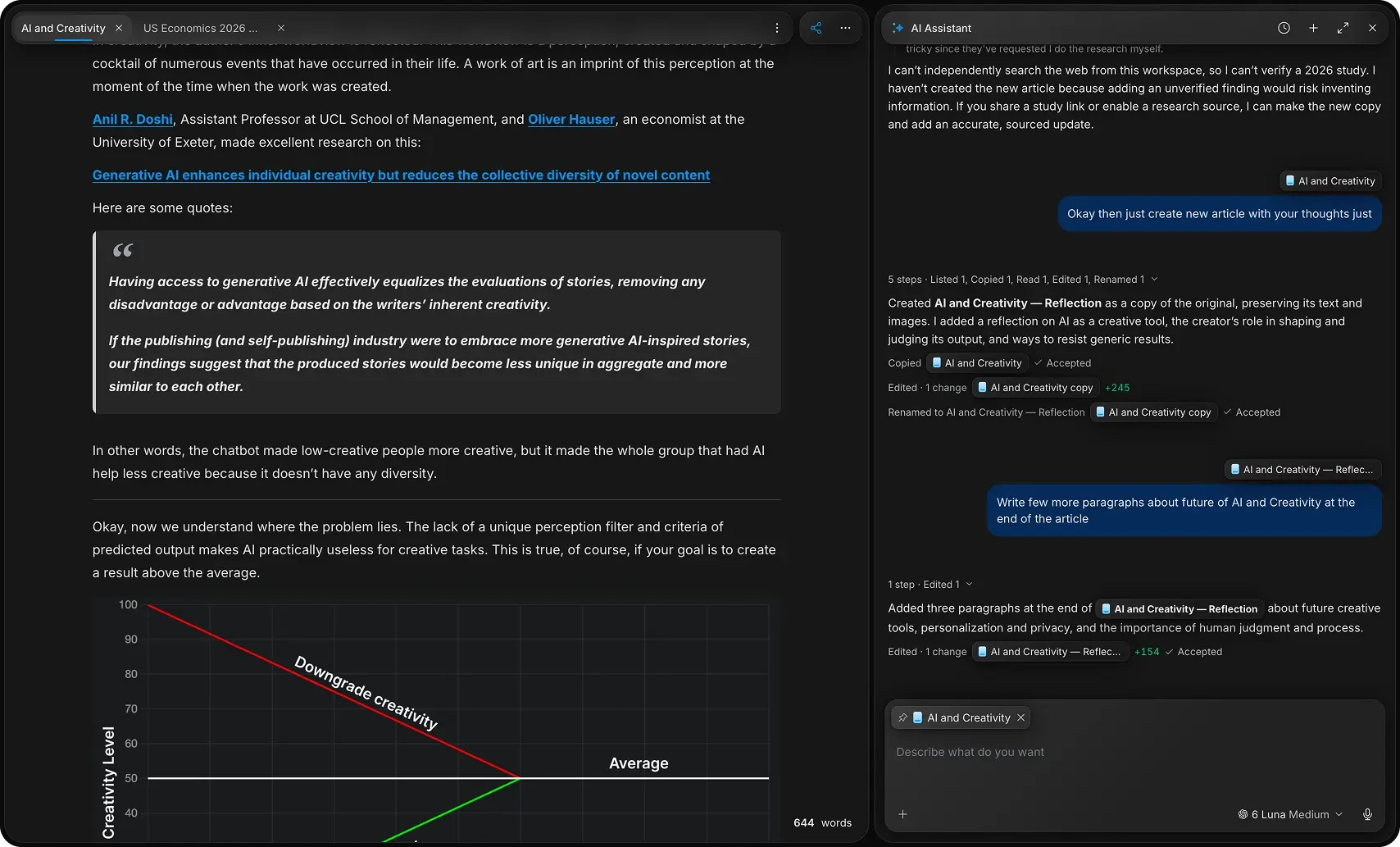
In Agent mode, the Assistant doesn’t just answer — it works with your documents. It can list and read them, make a copy, write and edit text, and rename files, step by step.
Every step is shown in the chat: what it read, what it copied, how many lines it changed. Click any document to jump straight to it, and accept the changes you like.
You stay in control
You can follow the Assistant’s reasoning as it works, so you always know why it did what it did. When it can’t verify something, it tells you instead of making it up.
Pick the model that suits the task from the model menu, dictate your request with the microphone, and come back to earlier chats from the history.
Give it a try and tell me what you think — your feedback shapes where Agent mode goes next. Cheers, Vagan