When to use it
- A product or feature video for a landing page, an app store listing or a sales email
- A script and brief to hand to an animation studio or a freelance animator
- A short video that explains a service, a process or a policy to customers or staff
- Onboarding and help-center videos that walk a new user through the first few steps
How to use this template
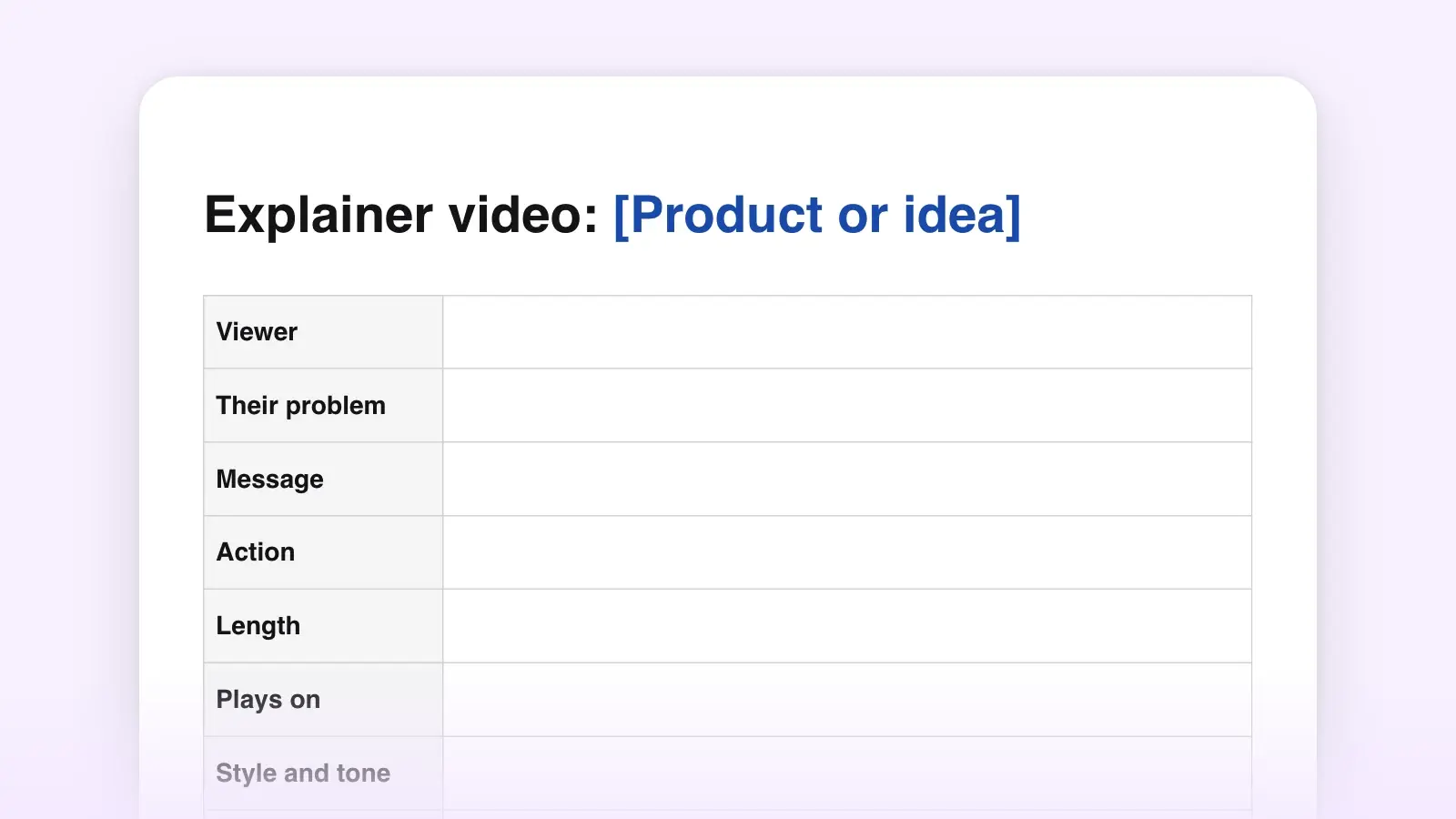
- Fill in the brief before writing a line
The message line is the test. If you can't say in one sentence what the viewer should remember, the script will try to say everything, and a 90-second video that says everything is remembered for nothing. It works like a logline for a film.
Write the problem the way the viewer would put it, not the way the product team does. Support tickets, sales-call notes and reviews are where that wording lives.
- Pick the length, then keep to the word budget
Most explainers run 60 to 90 seconds, and the usual advice is to stay under two. Narrators read at roughly 130 to 160 words a minute, with commercial reads at the quicker end, but an explainer needs room for animation, music and an end card. The budget above works out to about 120 words a minute, which leaves that room.
- Write the voiceover first, then the visuals
Draft the voiceover column top to bottom, beat by beat, to the word counts. Then fill the visual column. Wherever the picture already shows something, cut the words that say it. That is show, don't tell for video, and it is usually where a long draft gets short.
- Read it aloud, time it, cut
Read at the narrator's pace, write the real start times into the time column, and put the total in the checklist. If it runs long, cut whole sentences rather than a word here and there. Then send it to the animator or the client as a Word file or a PDF.
A 60-second example
Here is the template filled in for an invented product, a soil sensor for houseplants, cut to 60 seconds. The proof beat is folded into the payoff, and the voiceover runs to about 105 words.
0:00 · Problem. A windowsill of houseplants. A hand tips a full watering can over a fern that is browning at the edges.
VO: You water it every Sunday. You read the tag. The fern still dies.
0:06 · Problem. Close on soggy soil. Cut to a wall calendar with every Sunday circled.
VO: A schedule can't tell you when the soil is dry, so you guess wet.
0:12 · Solution. A slim sensor slides into the pot. On screen: Fernly.
VO: Fernly can. It's a sensor about the size of a pencil, and it checks the soil every hour.
0:20 · How it works. The app finds the sensor, and a thumb picks “Boston fern” from a list. On screen: 1. Push it in.
VO: Push it into the pot and tell the app what's growing there.
0:26 · How it works. Time-lapse: light crosses the sill while a moisture bar in the app slowly drops. On screen: 2. Leave it alone.
VO: Then leave it alone. Fernly learns how fast that pot dries out, in that window, in that season.
0:34 · How it works. A phone lights up on a desk: “Fern needs water.” The hand waters and the bar fills. On screen: 3. Water when it asks.
VO: When it's time, your phone tells you which plant needs water. Not which day. Which plant.
0:43 · Payoff. The opening windowsill, weeks later. The fern is green and full. Music up.
VO: Same window. Same fern.
0:50 · Call to action. End card: Fernly logo. On screen: fernly.example. Ends 1:00.
VO: Fernly. Water when they're thirsty. Get yours at fernly dot example.
What it does on purpose:
- The product isn't named until 0:12. The first two lines are the viewer's own experience, so they recognize themselves before they are sold anything.
- Each step is a verb the viewer does (push, leave, water), and the on-screen text repeats it, so the video still makes sense with the sound off.
- The payoff returns to the opening shot instead of recapping features. The before and after is the proof.
- One action, spoken and shown in the same words.
What a strong explainer script does
It turns features into results. The how-it-works beat is the longest and the easiest to fill with specifications. Each line should end in something the viewer gets.
Written as results
- It checks the soil every hour, so you water when the plant needs it.
- Your phone tells you which plant is thirsty.
Written as features
- Fernly uses capacitive moisture sensing with hourly sampling.
- Compatible with iOS and Android.
It shows three steps, not seven. If the product does seven things, the explainer shows the three that get a new user to the first result. The rest belong on the landing page beside it.
It uses one comparison, if any. A familiar image (“a smoke alarm, but for thirst”) does a lot of work in animation. Pick one and stay with it. Two metaphors in 90 seconds compete for the same picture.
Its proof is real or absent. A named customer, a result you can source, a capability the viewer can check. If you don't have one yet, cut the beat and give the time to the steps. Keep the tone of voice the brief set all the way through, including the call to action.
For the two-column format, shot shorthand and more on hooks, read how to write a video script. If the narration is recorded on its own, the voiceover script template drops the visual column.
Frequently asked questions
How long should an explainer video be?
Most run 60 to 90 seconds, and the common advice is to keep them under two minutes. Choose by where it plays. A landing page or a sales email suits 60 to 90 seconds, and a help-center video can run longer if every step needs showing.
How many words is a 90-second explainer script?
About 180 to 225 words. Narrators read at roughly 130 to 160 words a minute, but an explainer needs pauses for animation, music and the end card, so draft toward 180 and time it aloud before you record.
Do animated and live-action explainers need different scripts?
The structure is the same. Animation can show what a camera can't, such as the inside of a machine or a month passing, so describe those visuals in more detail for the animator. Live action needs the locations, props and people written into the visual column.
What is the difference between an explainer video and a commercial?
A commercial is built to persuade in 15 to 60 seconds, often on one image or feeling. An explainer is built to be understood: when it ends, the viewer should be able to say how the product works. Most explainers still end with a call to action.