A YouTube script plans everything a viewer hears and sees, so that each moment gives them a reason to stay for the next one. Write it in this order: settle the title and thumbnail so you know what the video promises, list the questions a viewer will have and answer them one at a time, mark what changes on screen as you go, and write the hook last. At about 150 spoken words a minute, a ten-minute video is roughly 1,500 words.
The first 30 seconds decide the rest
YouTube Studio's audience retention report includes a figure called Intro: the percentage of viewers still watching after the first 30 seconds. YouTube's own advice for raising it is to make the title and thumbnail match what the video delivers, and to experiment with the opening. That tells you what a hook is for. The click has already happened. The viewer arrives with a question your packaging put in their head, and the opening either confirms that this video answers it or sends them back to the feed.
So the script starts before the script. Write the title, sketch the thumbnail, then write one sentence that states the promise, a kind of logline for the video: what the viewer will know, see or be able to do by the end. YouTube's Test & compare tool, which runs up to three titles and thumbnails against each other, picks the winner by watch time rather than clicks. A title that earns the click but not the minutes loses.
What a hook does
A working hook does three things, usually in this order, and finishes comfortably inside those 30 seconds:
- Confirms the promise. Restate the title in new words, or show the thing itself: the finished result, the problem, the place.
- Adds a stake or a twist. Why this is harder, stranger or more useful than the viewer assumed. This turns “this is the right video” into “I want to see how this goes.”
- Shows the path. One sentence on what is coming, so the viewer can picture the rest and decide it is worth the time.
What it leaves out: the channel intro, “hey everyone, welcome back,” the request to subscribe and the backstory. Each can come later, once the viewer has a reason to stay.
Six kinds of hook, with sample lines
| Hook | How it opens | Sample first line |
|---|---|---|
| HookResult first | How it opensShow the end state, then rewind | Sample first line“This desk cost forty dollars. By the end you'll know where every one of them went.” |
| HookProblem | How it opensName the viewer's frustration exactly | Sample first line“If your chapters keep stalling around the same scene, discipline isn't the problem.” |
| HookContrarian | How it opensPush back on advice they've heard | Sample first line“Everyone tells new novelists to outline. For my last two books, the outline was the mistake.” |
| HookCold open | How it opensStart mid-action and explain later | Sample first line“Day eleven, 5:40 a.m., and I'm about to delete everything I wrote this week.” |
| HookDemonstration | How it opensDo the thing on screen at once | Sample first line“Watch this paragraph lose forty words without losing a single idea.” |
| HookChallenge | How it opensSet a rule and a clock | Sample first line“One weekend, a hundred dollars, and this closet has to become a recording booth.” |
The cold open is the video version of starting in medias res, and it is the easiest to overuse: it works when the moment you open on is genuinely the most interesting thing in the video, and feels cheap when it is a staged reaction.
Structure the middle for retention
After the hook, viewers rarely leave because a video is long. They leave when they stop wanting to know what happens next. The middle of the script is a chain: each section answers one question the viewer has and raises the next before the current answer is complete.
Open a loop, close it later
Creators call the unanswered question an open loop. The plainest version is a promise the viewer carries forward: “I nearly quit on day eleven, for a reason that had nothing to do with time.” Now they want the reason, and you pay it off a few minutes later. Two rules keep loops honest. Close every one you open, and answer the title's question where you said you would. A loop the video never closes reads as clickbait, and the retention graph shows where people gave up waiting.
Link sections with “but” and “so” rather than “and then.” “Week one was easy. Then week two…” is a list. “Week one was easy, which should have worried me” is a reason to keep watching.
Put strong material early
Audiences shrink over the length of nearly every video, so the most people are watching at the start. YouTube's help page for the retention report makes the same point: if your top moments, the stretches where almost no one drops off, come late, move that material earlier. Don't save the best demo or reveal for the last minute. Deliver one real payoff in the first third, another in the middle, and the one the title promised at the end.
Turn sections into chapters
A script with clear sections gives you chapters for free. YouTube builds chapters from timestamps in the description when the first is 00:00, there are at least three, and each chapter runs at least 10 seconds. Give each section of the script a short, specific name as you write it (“Day 11: the reread” beats “Part 2”) and the chapter list is ready at upload.
Place the sponsor read
If the video is sponsored, put the read after the hook at a natural break, never before you have confirmed the promise. YouTube asks creators to turn on the paid promotion setting, which adds a disclosure label at the start of the video. In the US, the FTC's guidance for influencers says to disclose in the video itself, in both audio and on screen, not only in the description. Rules differ by country and change, so check the current ones where you publish, and script the disclosure line as part of the read.
End on the payoff
The ending starts when you answer the question in the title. Say it plainly and stop adding. “That's it for today” and “before you go” tell viewers the video is over, and they act on it. Put one call to action after the payoff and make it specific: name the next video and why it follows from this one. End screens run in the last 5 to 20 seconds of a video at least 25 seconds long, with up to four elements, so write an outro of up to 20 seconds that points at them.
Script the pattern interrupts
A pattern interrupt is any change in what the viewer sees or hears that resets their attention: a cut to a new angle, B-roll, a graphic, on-screen text, a sound cue, a new location, a prop, a direct question to the camera. Editors add plenty of them, but the useful ones are planned in the script, because they come from the content. A number deserves a graphic. A place deserves a shot of it. A document you are talking about deserves to be on screen. This is show, don't tell for video: if you can show it, the voice doesn't have to describe it.
There is no correct interval, whatever a tip video says. Plan a change wherever the voice runs long with nothing new to look at, and at every section break. After publishing, the retention report marks dips, where viewers leave or skip ahead, and spikes, where they rewatch or share. YouTube notes that a spike can also mean a moment was confusing enough to replay, so look before you celebrate.
Use a two-column script
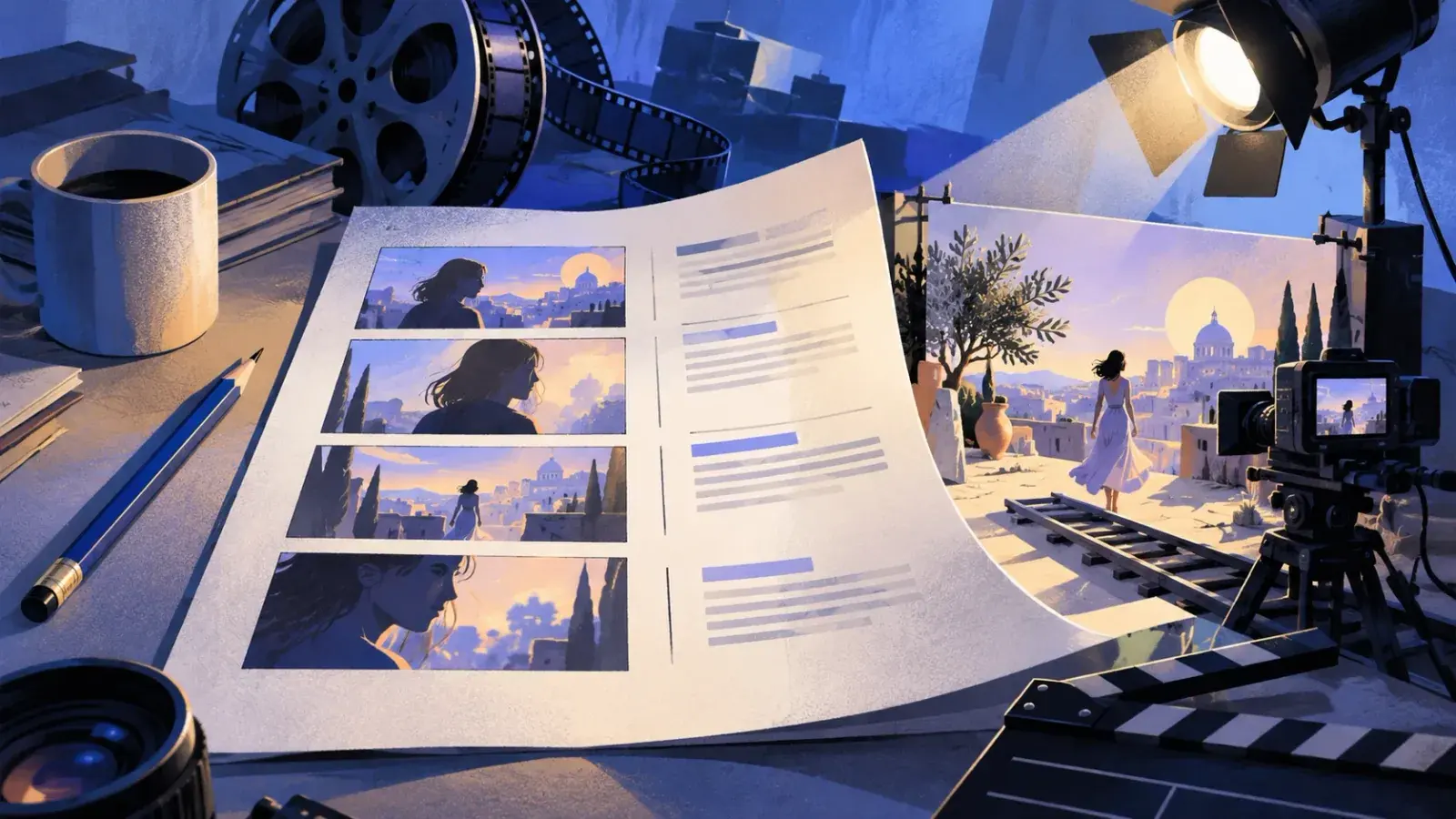
The easiest way to plan the picture is the two-column format TV and ad scripts have used for decades, often called an A/V script: what the viewer sees on the left, what they hear on the right, one row per beat. A long run of audio beside an empty visual column is a dip waiting to happen. Here are the first four beats of a desk-setup video:
| Visual | Audio |
|---|---|
| VisualWide shot: the desk, cables everywhere | Audio“Here's the desk at the start. Seven cables, and two of them go nowhere.” |
| VisualClose-up: hands cutting a zip tie | Audio“First job: find out what each one actually does.” |
| VisualGraphic: 7 cables, counting down to 3 | Audio“Four of them didn't need to exist.” |
| VisualTalking head, tighter framing | Audio“And one of the three I kept is why the monitor flickered. We'll get to that.” |
Write for the ear, at the right length
A script is heard once, at the speaker's pace. Viewers can scrub back, but they won't do it to untangle a sentence. Write the way you talk: short sentences, contractions, one idea at a time, and round numbers (“almost a third,” not “32.6 percent”) unless the exact figure is the point. Everything that improves readability on a page matters more here. Say each line aloud as you write it, in the tone of voice your viewers know from your other videos.
How long a YouTube script should be
Americans speak at about 150 words a minute, the figure the National Center for Voice and Speech gives. Use it to turn a target length into a word count, then time your own read.
| Video length | Script at about 150 words a minute |
|---|---|
| Video length1-minute Short | Script at about 150 words a minuteAbout 150 words |
| Video length3-minute Short (the current maximum) | Script at about 150 words a minuteAbout 450 words |
| Video length5 minutes | Script at about 150 words a minuteAbout 750 words |
| Video length8 minutes | Script at about 150 words a minuteAbout 1,200 words |
| Video length10 minutes | Script at about 150 words a minuteAbout 1,500 words |
| Video length15 minutes | Script at about 150 words a minuteAbout 2,250 words |
| Video length20 minutes | Script at about 150 words a minuteAbout 3,000 words |
Choose the length from the material, not from a target. A video is as long as the promise takes to deliver, and padding to reach a round number shows up in the graph as a slow leak.
Full script or bullet points
Tutorials, explainers, video essays and anything with a sponsor read do best with a full script, because the order matters and every sentence is working. Vlogs and reaction videos usually sound better from a beat list, since the energy comes from the moment. Most channels land in between: the hook, the transitions, the sponsor read and the ending word for word, the rest as beats you know well enough to say naturally. If reading makes you sound flat, record yourself explaining the idea to a friend, transcribe it, and edit that into the script. It starts in your speaking voice instead of your writing voice.
How to write a YouTube script, step by step
- Write the promise and three titles
Write one sentence that says what the viewer gets by the end, then three titles that make that promise in different ways, and sketch the thumbnail. If you can't write the sentence, you have a topic, not a video yet.
- List the viewer's questions
Write down every question a curious viewer would ask, in the order they would ask it, and research the answers. The questions become your sections, and their order becomes the structure.
- Order the sections for retention
Move a strong payoff into the first third. Check that each section ends with a reason to watch the next: an unanswered question, a twist, a “but.”
- Draft in two columns
Write what you will say on the right and what is on screen on the left, section by section. The YouTube script template has the columns and sections laid out. Fill the left column wherever the right one runs long.
- Write the hook last
Now you know exactly what the video delivers, so write the opening that promises it. Draft three versions of the first line and read each aloud. Keep the one you would click on.
- Read it aloud with a timer, then cut
Read at recording pace. Rewrite anything you trip over twice. When a section runs long, cut its second example first. It is almost always weaker than the first.
- Mark chapters, sponsor slot and end screen
Name each section as a chapter, place the sponsor read with its disclosure line, and write the outro to fit the end screen in the final 20 seconds.
A YouTube script example
Here is the plan for a seven-minute video on a writing channel, titled “I wrote 500 words before work for 30 days.” The promise: by the end you will know whether a daily word count before work moves a novel forward, and which of the three rules is worth changing. The retention map comes first, then the hook, one re-hook and the ending in full.
| Time | Section | On screen | Question it leaves open |
|---|---|---|---|
| Time0:00 | SectionCold open | On screenAlarm at 5:40, word count overlay | Question it leaves openWhy did day 11 nearly end it? Which rule changes? |
| Time0:30 | SectionThe three rules | On screenText: 500 words, before work, no editing | Question it leaves openWill the rules hold? |
| Time1:15 | SectionWeek one | On screenTime-lapse: desk, coffee, window getting light | Question it leaves open“That should have worried me” |
| Time2:30 | SectionDay 11: the reread | On screenTitle card, then the draft scrolling past | Question it leaves openAnswers day 11. What goes wrong in week three? |
| Time4:00 | SectionWeek three: the outline runs out | On screenThe outline, last bullet highlighted | Question it leaves openDid the month produce anything usable? |
| Time5:15 | SectionWhat 30 days produced | On screenPrinted pages stacked, count graphic | Question it leaves openWhich rule would change? |
| Time6:10 | SectionThe rule I'd change | On screenTalking head, closer framing | Question it leaves openClosed: the title's question |
| Time6:40 | SectionNext video | On screenEnd screen: the planning video, subscribe | Question it leaves openNone |
Phone alarm at 5:40 a.m. A hand slaps it off.
This alarm went off thirty times in September. I got up for twenty-nine of them.
The desk. Laptop open. On screen: 15,840 words.
By the end I had almost sixteen thousand words of a novel I'd been about to start for three years. And I nearly quit on day eleven, for a reason that had nothing to do with time.
Talking head.
So: the three rules I set, what broke, and the one rule I'd change if I started again tomorrow.
Title card: Day 11.
Week one was easy, which should have worried me. On day eleven I did the thing every writing book tells you not to do. I read the whole draft from the beginning.
The document scrolls past, fast.
Over five thousand words, and I hated every page. The fix took one minute the next morning: I would read yesterday's last paragraph and nothing else. That saved the month. It also hid a problem that showed up in week three.
So, would I do it again? Yes. I'd keep the five hundred words and I'd keep the alarm. The rule I'd change is “no editing.” Not to allow rewriting, but to add ten minutes at the end of each session to plan tomorrow's scene. Every morning I stalled, it was because I sat down not knowing what happened next.
End screen appears.
That week-three problem is the whole subject of the next video: how I plan a novel one week at a time. It's on screen now. I'll see you there.
Notice what the script leaves out: no channel intro, no subscribe request before the payoff, and a call to action that continues the same story instead of pointing at the channel in general. For a shorter piece in the same two-column format, see the 75-second example in how to write a video script.
Mistakes that lose viewers
- A slow start. A logo sting, a recap of last week, a request to subscribe. Every second before the promise is confirmed is a second to leave in.
- A hook that oversells. If the opening promises more than the video delivers, the drop simply comes later, when viewers notice.
- Saving everything for the end. “Stick around until the end” gives no reason to watch the middle. Pay something off early.
- Writing for the eye. Long sentences, parentheses and exact decimals read fine and sound awful.
- Talking over nothing. A minute of voice over an unchanged shot. Plan the picture when you plan the words.
- Signing off before the call to action. “That's it for today” starts the exit before you have pointed anywhere.
Writing YouTube scripts in Strokes
Any editor works for a script, and plenty of creators use a notes app. Strokes is a desktop editor for longer writing you revise, which suits a channel: one project for the channel, a document per video, and a table for the visual and audio columns. Select a line that reads stiffly and press ⌘K to ask for a version that sounds spoken. Open the AI Assistant beside the script and ask whether each section raises a question the next one answers, or whether the ending pays off the title. Version history saves versions as you work, so the lines you cut for time are still in an earlier version when they fit a later video, and export to Word or PDF gives your editor a copy.
Frequently asked questions
How long should a YouTube script be?
At about 150 spoken words a minute, a ten-minute video needs roughly 1,500 words and a one-minute Short about 150. Time your own read-through: tutorials with screen demos use fewer words a minute and fast talking-head edits use more.
Should I write a full script or use bullet points?
Write tutorials, explainers and sponsor reads in full. Vlogs and reactions usually sound better from a beat list. A common middle path is to script the hook, transitions and ending word for word and speak the rest from beats.
How long should a YouTube intro be?
Short enough that the promise is confirmed well inside 30 seconds, the window YouTube's Intro retention figure measures. Move the channel intro and the subscribe request to after the viewer has a reason to stay, or drop them.
What format should a YouTube script use?
A two-column layout works for most videos: what's on screen on the left, what's said on the right, one row per beat. Talking-head videos can use a single column with visual cues in brackets or italics.
Is a script for YouTube Shorts different?
Shorts can run up to three minutes, but the craft compresses: the first line is the hook, there is usually one idea and one payoff, and key words often go on screen as text. At 150 words a minute, a 45-second Short is only about 110 words.